Originally this was going to be a post about writing some basic Linux kernel modules, however, I noticed
a gap in information around
setting up the crash utility for live kernel inspection, so I have reframed my efforts to
explain how to do this.
Recently I have been getting into Linux Kernel programming, and based on my previous post where I tried
to set up
a local AI to help me dev for it, it quickly became apparent to me that this was the wrong first
approach to take,
and I should first gain a solid understanding on the concepts and techniques I am trying to get it to
help me dev for,
before setting this up. So to start with I wanted to explore several kernel networking APIs,
specifically what is actually going on
when we call kernel_sendmsg.
To get started with I will be working on an old MacBook Air (x86-64) with Arch Linux installed.
A couple of the tools I will use are crash and dmesg.
dmesg is a tool that will print the
contents of the kernel ring buffer.
The kernel ring buffer is where any important kernel level logs get stored, and can be viewed from user
space, so tools like
dmesg can be used to inspect what is going on in a system.
This tool is available on virtually every Linux system by default.
crash "is a tool for interactively analyzing the state of the Linux system while it is running" - what's cool about this is we can inspect data structures, and code in a live running machine.
Setting up crash
First, I am going to update my system, I am on Arch Linux so pacman is my package manager.
sudo pacman -SyuIf you are ever curious about what the flags for pacman command stand for:
-S- Stands for "Sync", which allows pacman to interact with remote repositories
-y- This downloads a master copy of the package database from remote servers
-u- This will compare the version of all the packages on your system with those fetched from remote. Any packages that have a newer version available will be flagged for upgrading.
If you are on Ubuntu, fetching debug symbols for the kernel is relatively easy, and a one liner. To install the crash utility and get debug symbols you would simply do:
sudo apt install crash
sudo apt-get install linux-image-$(uname -r)-dbgsym
However, if you are using Arch Linux like me, this is not as easy. The first thing to understand is what
are we trying to do.
We are trying to run the crash utility against the running kernel; aka
/proc/kcore [for more info on the virtual file
/proc/kcore click here.].
We are doing this so that we can look at live kernel data structures, such as
task_struct.
For this to actually be useful and not just a bunch of unreadable data, we need some sort of file that
can describe these structures.
This is not currently available in our running kernel, but lives in a separate file called
vmlinux which is built with DWARF debug info.
More info on DWARF debug info to come so hold tight.
On Arch, you can't just pacman -S vmlinux, there's no package available to install. What
this means is the path forward is to rebuild the kernel
ourselves with the right config, package the debug information as a separate package, e.g.
linux-debug and then install this alongside
the regular kernel, and finally point crash at it.
Recap - what are "symbols"
I found this article "What is a debug symbol" by Lizzie Danielson to provide a great explanation.
A debug symbol is basically a kind of metadata, i.e., data that describes data, that acts as a translation unit of binary source code into a human-readable format. When a program is compiled, the final executable binary is in a format known as machine code, that is in a format the computer can run, i.e., in binary instructions or data. This is awesome for the computer because it can read this step by step, and knows exactly what to do. For human developers who are trying to understand what is going on, this is not so awesome, and while certainly possible to gain an understanding of what is going on, it would be nice if we could keep some information from when we were first writing the executable in a high level language, such as variable names, or function signatures, embedded within the binary.
Once we place these symbols back in the binary, we can then use tools such as a debugger, that cross reference the source code and the executable file, presenting the binary in a way that humans can understand easily.
ELF binaries
Quick recap on executable and linkable files, I don't want to go too deep into this.
ELF is the standard format for files on Linux, and inside the ELF spec, there are sections defined to
host a symbol table,
the .symtab and .dynsym sections which map functions and variables to
addresses inside the executable.
Some further interesting articles I found on ELF files can be found here:
- The ELF Object File Format: Introduction - Eric Youngdale on April 1, 1995
- Goes over the different file formats, interesting history, plus explanation of
a.outfile. - ELF and Its History Explained - The Routinely Interrupts on August 14, 2025
- Amazing explanation of the history and specification of ELF, also pointing to ELF's current maintainers, Xinuos.
- Linux 101: Understanding the insides of your program - Holden Grissett on May 16, 2018
- Goes over the ELF spec and also some pretty useful tools, specifically
objdump,readelfandnm, which can all be used for inspecting binaries.
kallsyms - The Linux kernel's built-in symbol table
Much like how each ELF binary has its own symbol table as aforementioned, the kernel also has some
built-in symbols.
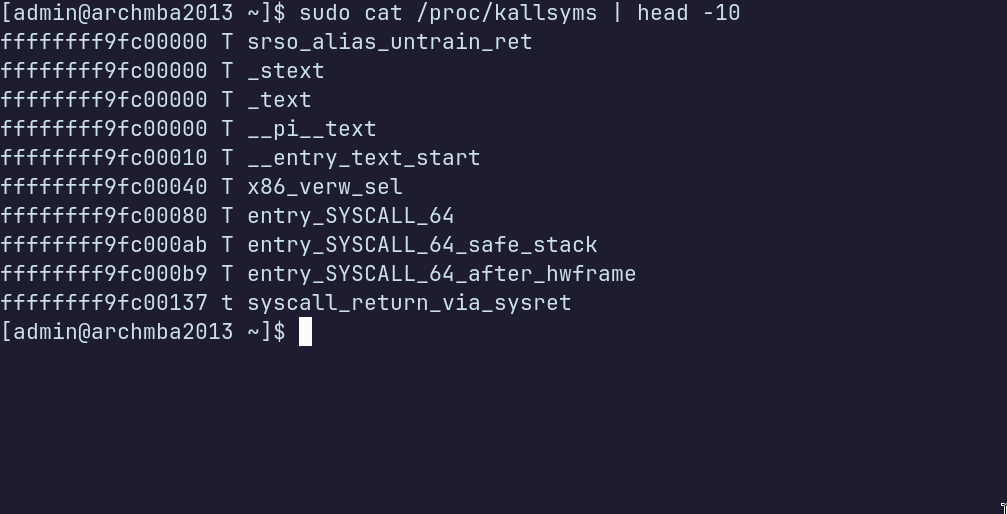
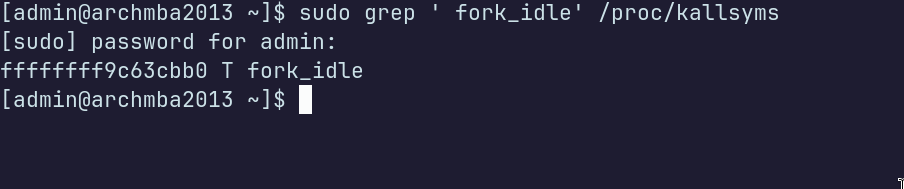
The file for this is /proc/kallsyms - which is used to store kernel exported symbols. This
file is also a table,
with three columns: [the memory address][the type of the symbol][the name of the symbol]. Shlomi
Boutnaru did a pretty good article titled
The
Linux Concept Journey — /proc/kallsyms (Kernel Exported Symbols).
The important thing to understand from this is that /proc/kallsyms is usually built into
the kernel by default, but this alone
won't be enough to get crash working properly.
So as far as I am aware, the reason why DWARF symbols are not shipped is because they balloon the size
of vmlinux.
So something to keep in mind if you are doing kernel dev and regularly updating your system, is that you
will probably have to do this
for every update, or pin to a single version lol.
Prerequisite packages - before we begin
Before we begin there are three packages we need (there may be more or fewer depending on your system)
crash- the command line utility (note): at the time of writing this (12 May 2026) you may need to clone the crash repo if you have a kernel version greater than 7.x.
base-devel- a meta package that pulls all the packages in the standard build chain.
devtools- Has
pkgctl, which is what I will use for cloning Arch packaging repos and building a clean chroot
sudo pacman -S --needed base-devel devtools crash
note: --needed flag tells pacman to skip any packages we specified that are already
installed and up to date.
You could probably also just use git to clone linux rather than pkgctl, it doesn't really matter.
Cloning Linux and ensuring we have the version that matches our kernel.
This only applies if you are trying to get symbols for your current running kernel; however, once we have cloned Linux we can build a kernel for any publicly
available version on the git tree. I wanted to get symbols for my current version — if you are not doing the same, don't worry about the steps concerning version matching.
To clone using pkgctl do:
mkdir -p ~/Projects/kernel_debugging/build && cd ~/Projects/kernel_debugging/build
pkgctl repo clone --protocol=https linux
cd ~/Projects/kernel_debugging/build/linux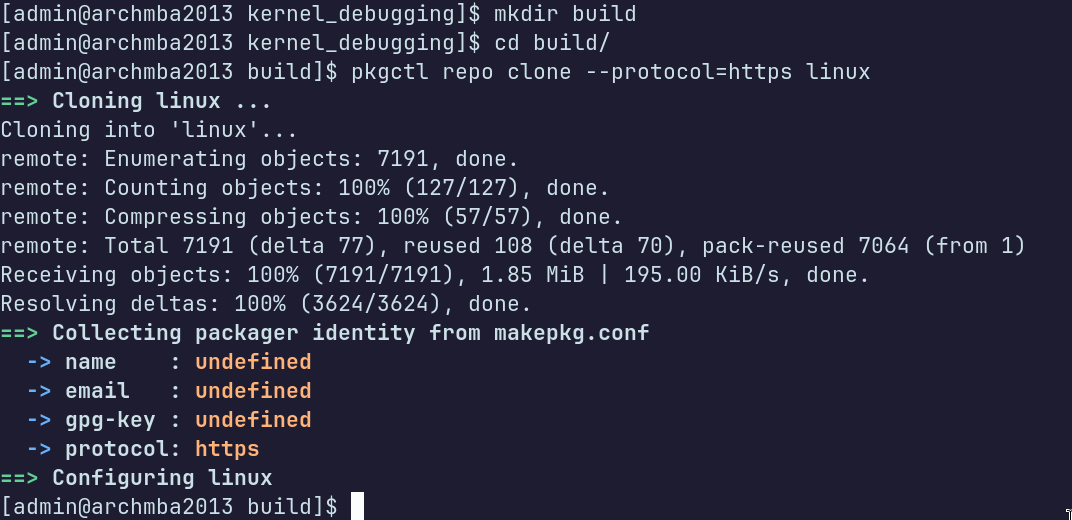
For this task, I wouldn't worry about the warnings for undefined name, email, and gpg-key. We aren't going to be pushing any changes lol. Here are some quick commands to run to verify what version of Linux you cloned, and what version of Linux you are currently running:
[admin@archmba2013 linux]$ grep -E '^(pkgver|pkgrel)=' PKGBUILD
pkgver=7.0.5.arch1
pkgrel=1
[admin@archmba2013 linux]$ pacman -Q linux
linux 7.0.3.arch1-2
[admin@archmba2013 linux]$ uname -r
7.0.3-arch1-2
[admin@archmba2013 linux]$
At the time of making this, I was up to linux 7.0.3.arch1-2 and the public repo was up to
7.0.5.arch1-1.
What we want to do is switch to the commit that contains our exact version, so this will be unique for
myself vs whoever is reading.
Here's a quick command to grep for your version and switch to it:
[admin@archmba2013 linux]$ git tag --list | grep '7.0.3'
7.0.3.arch1-1
7.0.3.arch1-2
7.0.3.arch1-3
[admin@archmba2013 linux]$ git checkout 7.0.3.arch1-2
Note: switching to '7.0.3.arch1-2'.

You are in 'detached HEAD' state. You can look around, make experimental
changes and commit them, and you can discard any commits you make in this
state without impacting any branches by switching back to a branch.

If you want to create a new branch to retain commits you create, you may
do so (now or later) by using -c with the switch command. Example:

  git switch -c

Or undo this operation with:

  git switch -

Turn off this advice by setting config variable advice.detachedHead to false

HEAD is now at b1ae233 upgpkg: 7.0.3.arch1-2: gcc 16.1.1 rebuild
[admin@archmba2013 linux]$
Again - I chose to checkout 7.0.3.arch1-2 because this is my current version of the
Linux kernel.
You must ensure this is the exact version of whatever Linux kernel you want to run. You can then verify
this with grep:
[admin@archmba2013 linux]$ grep -E '^(pkgver|pkgrel)=' PKGBUILD
pkgver=7.0.3.arch1
pkgrel=2
[admin@archmba2013 linux]$
Alright, finally, before we build, we need to change the PKGBUILD & .config
files so they will not strip debug symbols.
First, I will check my config file, as this will be unique depending on your computer's architecture.
[admin@archmba2013 linux]$ ls
config.x86_64  keys  LICENSE  LICENSES  PKGBUILD  REUSE.toml
[admin@archmba2013 linux]$ grep -E '^CONFIG_DEBUG_INFO|# CONFIG_DEBUG_INFO)' config.x86_64
CONFIG_DEBUG_INFO=y
CONFIG_DEBUG_INFO_DWARF5=y
CONFIG_DEBUG_INFO_COMPRESSED_NONE=y
CONFIG_DEBUG_INFO_BTF=y
CONFIG_DEBUG_INFO_BTF_MODULES=y
[admin@archmba2013 linux]$
This is pretty handy ~ everything in the config is already set to yes. I am not sure if this is standard
when you clone the Linux repo,
but it doesn't hurt to verify. Next, make some edits to the PKGBUILD file.
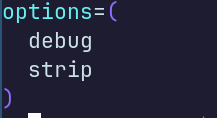

The final thing I did was add a long number to the end of pkgrel, e.g. .1919 so
we can easily find this file later. This
is optional though, and if you do this you will need to install the kernel you just built too, otherwise there will be a version mismatch.
Finally, we are ready to build. I used an environment variable to set the max number of processors to be used for the build:
[admin@archmba2013 linux]$ MAKEFLAGS="-j$(nproc)"
And you should be good to make!
[admin@archmba2013 linux]$ makepkg -s
Debugging in make
I only had one issue when I tried to make, and that was a signature issue. For some reason I could not verify some of the co-authors. Anyway, this was my error and solution
Verifying source file signatures with gpg...
    linux-7.0.3.tar ... FAILED (unknown public key 38DBBDC86092693E)
    linux-v7.0.3-arch1.patch.zst ... FAILED (unknown public key B8AC08600F108CDF)
==> ERROR: One or more PGP signatures could not be verified!
[admin@archmba2013 linux]$ ==> Verifying source file signatures with gpg...
    linux-7.0.3.tar ... FAILED (unknown public key 38DBBDC86092693E)
    linux-v7.0.3-arch1.patch.zst ... FAILED (unknown public key B8AC08600F108CDF)
==> ERROR: One or more PGP signatures could not be verified!
[admin@archmba2013 linux]$^C
[admin@archmba2013 linux]$ ^C
[admin@archmba2013 linux]$ grep -A 10 'validpgpkeys' PKGBUILD
validpgpkeys=(
  ABAF11C65A2970B130ABE3C479BE3E4300411886  # Linus Torvalds
  647F28654894E3BD457199BE38DBBDC86092693E  # Greg Kroah-Hartman
  83BC8889351B5DEBBB68416EB8AC08600F108CDF  # Jan Alexander Steffens (heftig)
)
b2sums=('51eebd3aa3c64779308b0781818fd91921c1a7b0c3ffd361dbff01f8853f1cea7d4c70f6ee2ae3b7817aeca7605b63f12b0fa422d22c0a50fb2306553c49eda4'
        'SKIP'
        'ad245fe70556a42c94d6f16b7c276a476bfb1ed5811a5030d7fefa3f5f226dd722f61c55cb9b76f5ff42082a6cbf88e04dc616adecc91131b68fe59cbed59035'
        'SKIP')
b2sums_x86_64=('dafee1f25d231199834869a5ce76a85eebb3c1ceac86f604270e93a40a22f29bcf797822481aff5aa5020c12359b9ad87ad8e0d36727166522510a07539d69d4')
[admin@archmba2013 linux]$ gpg --recv-keys 647F28654894E3BD457199BE38DBBDC86092693E 83BC8889351B5DEBBB68416EB8AC08600F108CDF
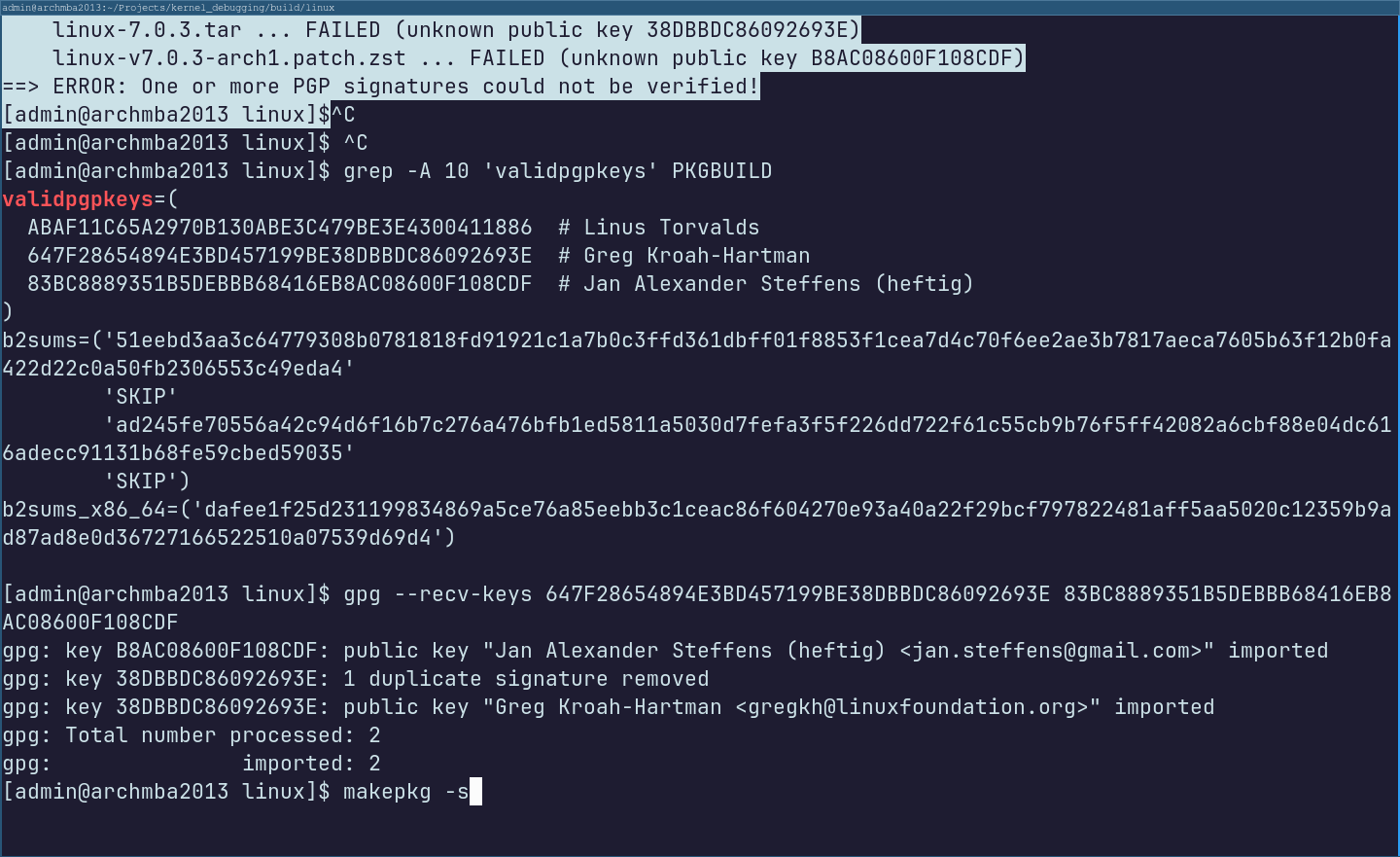
After this I was good to go - and it was just waiting for the kernel to build.
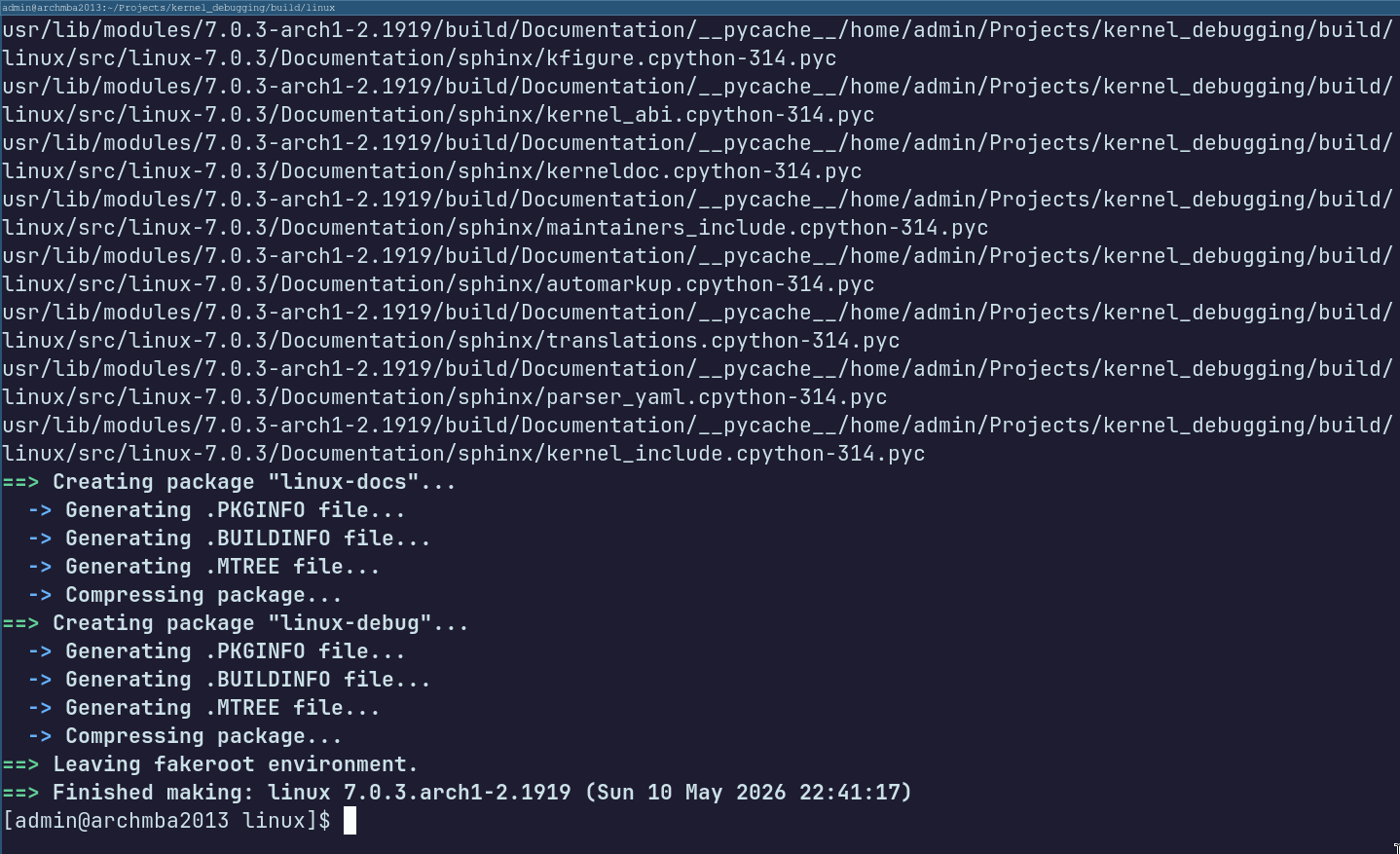
Once this was done, I installed the headers, debug and arch pkg.tar.zst files:
[admin@archmba2013 linux]$ sudo pacman -S linux-7.0.3.arch1-2.1919-x86_64.pkg.tar.zst linux-debug-7.0.3.arch1-2.1919-x86_64.pkg.tar.zst linux-headers-7.0.3.arch1-2.1919-x86_64.pkg.tar.zst
Finally, you can reboot and verify the changes! Unfortunately I had an additional hiccup with using the crash tool:
[[admin@archmba2013 kernel_debugging]$ sudo crash -s --hex
Exception caught while booting Guile.
Error in function "open-file":
No such file or directory: "/usr/share/gdb/guile/gdb/boot.scm"
crash: warning: Could not complete Guile gdb module initialization from:
/usr/share/gdb/guile/gdb/boot.scm.
Limited Guile support is available.
Suggest passing --data-directory=/path/to/gdb/data-directory.
crash: invalid structure member offset: kmem_cache_s_num
FILE: memory.c LINE: 9988 FUNCTION: kmem_cache_init()
[/usr/bin/crash] error trace: 556739ae8b18 => 556739b091a8 => 556739b304a8 => 556739c39e09
[admin@archmba2013 kernel_debugging]$ sudo crash
crash 9.0.1
Copyright (C) 2002-2025 Red Hat, Inc.
Copyright (C) 2004, 2005, 2006, 2010 IBM Corporation
Copyright (C) 1999-2006 Hewlett-Packard Co
Copyright (C) 2005, 2006, 2011, 2012 Fujitsu Limited
Copyright (C) 2006, 2007 VA Linux Systems Japan K.K.
Copyright (C) 2005, 2011, 2020-2024 NEC Corporation
Copyright (C) 1999, 2002, 2007 Silicon Graphics, Inc.
Copyright (C) 1999, 2000, 2001, 2002 Mission Critical Linux, Inc.
Copyright (C) 2015, 2021 VMware, Inc.
This program is free software, covered by the GNU General Public License,
and you are welcome to change it and/or distribute copies of it under
certain conditions. Enter "help copying" to see the conditions.
This program has absolutely no warranty. Enter "help warranty" for details.
Exception caught while booting Guile.
Error in function "open-file":
No such file or directory: "/usr/share/gdb/guile/gdb/boot.scm"
crash: warning: Could not complete Guile gdb module initialization from:
/usr/share/gdb/guile/gdb/boot.scm.
Limited Guile support is available.
Suggest passing --data-directory=/path/to/gdb/data-directory.
GNU gdb (GDB) 16.2
Copyright (C) 2024 Free Software Foundation, Inc.
License GPLv3+: GNU GPL version 3 or later
This is free software: you are free to change and redistribute it.
There is NO WARRANTY, to the extent permitted by law.
Type "show copying" and "show warranty" for details.
This GDB was configured as "x86_64-pc-linux-gnu".
Type "show configuration" for configuration details.
Find the GDB manual and other documentation resources online at:
The thing that caused the crash in my case was related to kmem_cache changes.
This is a known issue, documented here.
At the time of writing this, the fix for this problem wasn't available through the crash-utility package
on pacman, so I cloned the git repo,
and used make to build it which appeared to work.


That concludes setting up crash :D Hopefully I can begin doing some actual kernel dev soon lol